I built a Microsoft Store-style hero carousel for Wavee
A dev diary of one long session — shaders, trackpad weirdness, snap physics, and trying to match the Microsoft Store's hero in WinUI 3.
So Wavee needs a podcast browse page and I wanted it to actually feel like a Windows app, not a website. The reference I kept coming back to was the Microsoft Store hero — that big editorial card thing where artwork has depth, there's a color wash on the left, and the pips slide while you drag instead of jumping after you release.
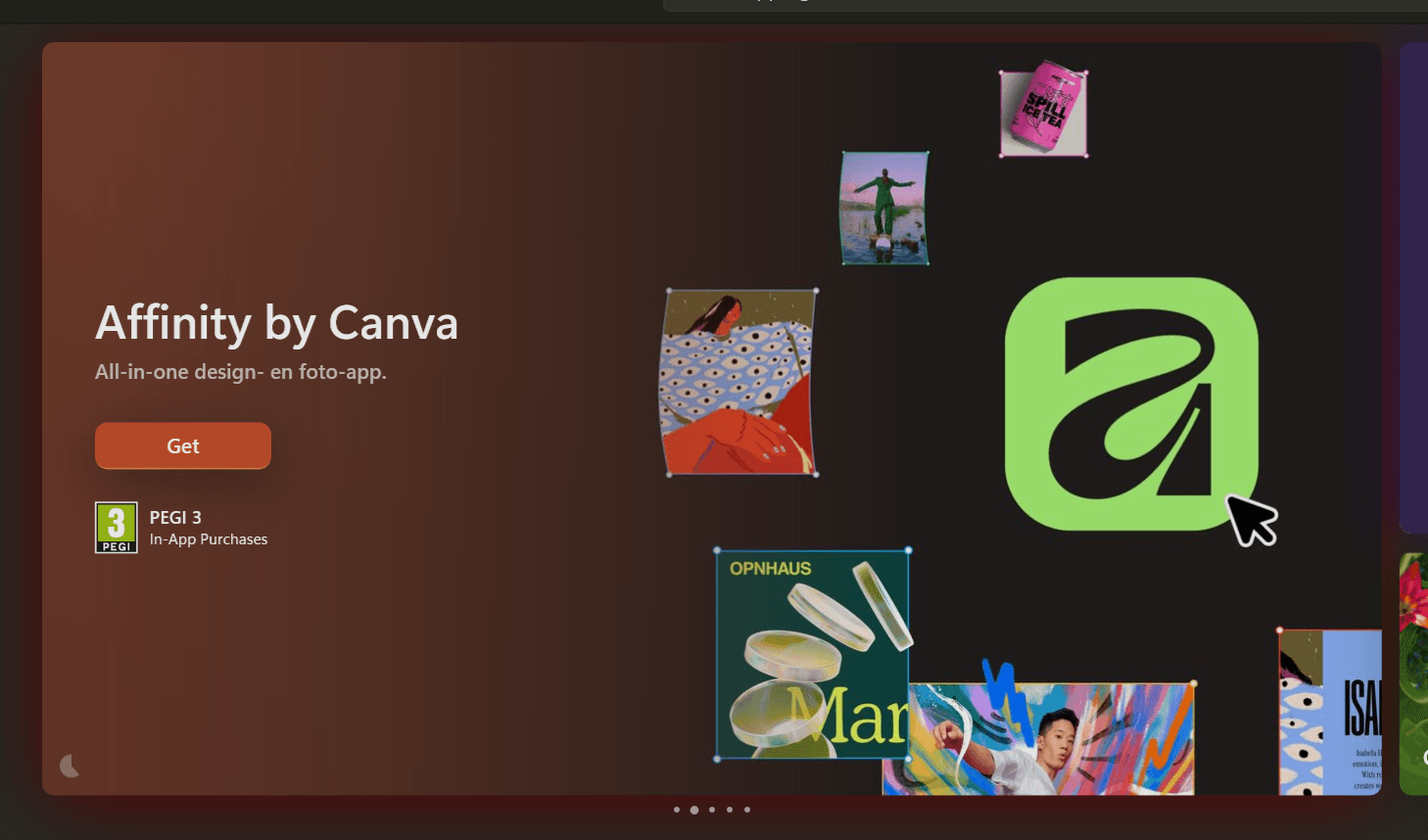
I started from an empty HeroCarouselView.xaml and spent a long session getting it to look and feel right. This is roughly how that went.
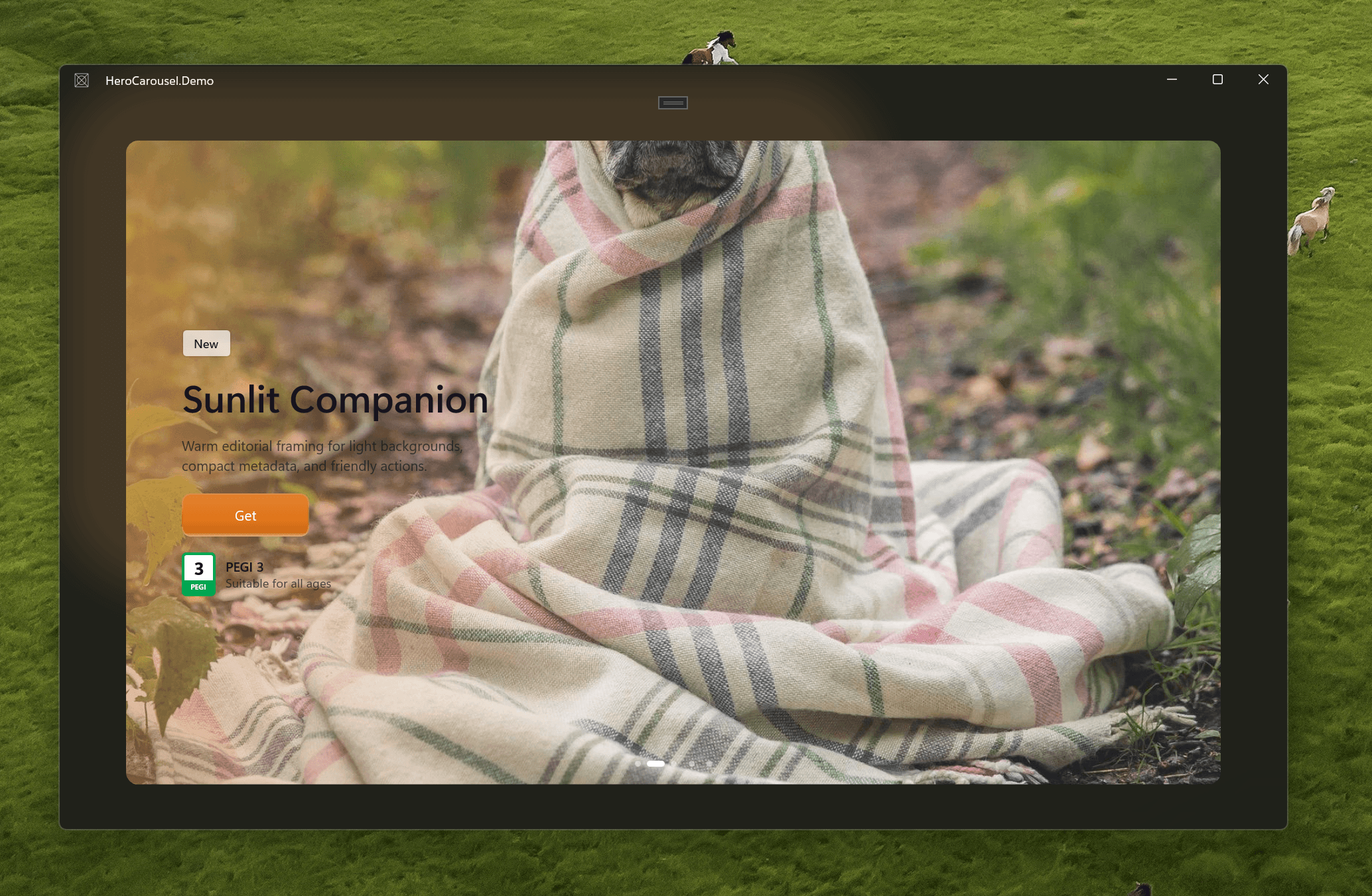
I had two reference materials going in. One was Sergio Pedri's ComputeSharp thesis which has a whole section on how the Store uses D2D pixel shaders through Win2D — you write shader code in C#, ComputeSharp transpiles it to HLSL at build time, and the compositor runs it per-pixel. The other was an HTML prototype I built of the Store's hero, which I could actually run and poke at with devtools. Screenshots only tell you so much.
The first thing I got wrong was the glow behind the card. I used a Border element set 75px larger than the stage on all sides, filled with a warm color. The HTML prototype uses filter: blur(75px). Those aren't the same thing at all — one is a hard filled rectangle, the other is a soft radial falloff. The first screenshot looked like a picture frame.
So I wrote an actual shader for it. ComputeSharp makes this surprisingly not-terrible: it's C# that compiles to HLSL, the attribute tells the source generator to emit the D2D descriptor, and it runs entirely on the GPU.
[D2DGeneratedPixelShaderDescriptor]
[D2DInputCount(0)]
[D2DRequiresScenePosition]
[D2DShaderProfile(D2D1ShaderProfile.PixelShader40)]
public readonly partial struct LeftColorWashShader : ID2D1PixelShader
{
    private readonly float width;
    private readonly float height;
    private readonly float3 baseColor;
    private readonly float3 accentColor;
    private readonly float strength;
    private readonly float warmth;

    public float4 Execute()
    {
        float2 uv = D2D.GetScenePosition().XY / new float2(width, height);

        float leftFalloff  = 1f - Hlsl.SmoothStep(0f,    0.76f, uv.X);
        float longTail     = 1f - Hlsl.SmoothStep(0.14f, 1f,    uv.X);
        float leftRim      = 1f - Hlsl.SmoothStep(0f,    0.26f, uv.X);
        float topRim       = 1f - Hlsl.SmoothStep(0f,    0.20f, uv.Y);
        float bottomRim    =      Hlsl.SmoothStep(0.70f, 1f,    uv.Y);
        float edgeRim      = leftRim * 0.88f + (topRim + bottomRim) * leftFalloff * 0.30f;
        float verticalBody = 0.58f + 0.42f * (1f - Hlsl.SmoothStep(0f, 0.82f, Hlsl.Abs(uv.Y - 0.5f)));

        float grain = Hlsl.Frac(Hlsl.Sin(Hlsl.Dot(uv * new float2(width, height),
                                 new float2(27.619f, 57.583f))) * 43758.5453f);

        float alpha = Hlsl.Saturate(
            (leftFalloff * 0.82f + longTail * 0.34f + edgeRim) *
            verticalBody * (0.965f + grain * 0.07f) * strength);

        float blend = Hlsl.Saturate(warmth * (0.35f + uv.Y * 0.45f));
        float3 color = Hlsl.Lerp(baseColor, accentColor, blend);

        return new float4(color * alpha, alpha);
    }
}
The weight values took a lot of iteration. The Store's wash is more aggressive than you'd expect — the left rim needs to be quite opaque for white text to actually read over bright artwork. I kept going too subtle at first.
There's also a spotlight shader for the cursor effect. Same ComputeSharp pattern, different math — it just draws a warm radial gradient centered on the pointer position, with a tight primary circle and a wider soft falloff:
public float4 Execute()
{
    float2 position = D2D.GetScenePosition().XY;
    float  distance = Hlsl.Length(position - cursorPx);

    float primary = 1f - Hlsl.SmoothStep(0f,   360f, distance); // tight core
    float falloff = 1f - Hlsl.SmoothStep(170f, 620f, distance); // wide envelope

    float2 centered = (position / new float2(width, height)) - new float2(0.5f, 0.5f);
    float  vignette = Hlsl.Saturate(Hlsl.Dot(centered, centered) * 1.15f);

    float  grain = Hlsl.Frac(Hlsl.Sin(Hlsl.Dot(position, new float2(27.619f, 57.583f))) * 43758.5453f);
    float  alpha = Hlsl.Saturate((primary * 0.30f + falloff * 0.08f + vignette * 0.08f
                                  + (grain - 0.5f) * 0.045f) * opacity);
    float3 tint  = new(1.0f, 0.88f, 0.64f);

    return new float4(tint * alpha, alpha);
}
The vignette term makes the card edges slightly darker, which makes the spotlight area feel brighter by contrast. Updated on every PointerMoved by writing a new shader instance to the PixelShaderEffect<SpotlightOverlayShader> on the stage canvas.
One early ComputeSharp thing worth knowing: without [D2DGeneratedPixelShaderDescriptor] on the struct, the shader type can't satisfy the ID2D1PixelShaderDescriptor<T> generic constraint on PixelShaderEffect<T>. That attribute is what tells the source generator to emit the descriptor interface implementation. Forget it and you get a confusing constraint error, not a "you forgot an attribute" error.
The other early problem was image gaps during transitions. When a card scales down as it exits, the card background was showing through behind the image because WinUI panels don't clip children the way overflow: hidden does in CSS. The fix is overscan — make the image layer 30% bigger than the visible card so that even at its most shrunken state during transition it still covers everything:
private const double HeroOverscanRatio = 0.30;

hero.Width  = _stageWidth  * (1 + HeroOverscanRatio * 2);
hero.Height = _stageHeight * (1 + HeroOverscanRatio * 2);
It's invisible because the clip boundary cuts it off. The overscan only matters during the scale animation.
Parallax took a lot longer than I expected to feel right. The constants tell the story of how many times I adjusted things:
private const double LeftHeroScaleFactor       = 0.34; // outgoing card scales down more
private const double RightHeroScaleFactor      = 0.28; // incoming card scales down less
private const double LeftCardScaleFactor       = 0.30;
private const double RightCardScaleFactor      = 0.18;
private const double ContentCardParallaxFactor = 0.08;
private const double ContentLayerParallaxFactor = 0.025;
Every one of those was wrong at some point. Too high and the text flies off the card. Too low and nothing has depth. The asymmetry between left/right is intentional — an outgoing card should feel like it's pulling away faster than the incoming one is arriving.
The per-frame update runs off CompositionTarget.Rendering and writes directly to Composition Visual objects — not XAML transforms, which cause layout/measure on every frame and made the first gesture noticeably choppy before warming up:
private void OnRenderingFrame(object? sender, object e)
{
    double trackOffset = _backgroundTrackVisual?.Offset.X ?? 0;
    double progress    = -trackOffset / _stageWidth;

    for (int i = 0; i < _heroLayers.Count; i++)
    {
        double distance   = Math.Min(Math.Abs(i - progress), 1);
        bool   isOutgoing = IsOutgoingSlide(i, progress);
        double heroScale  = 1 - (isOutgoing ? LeftHeroScaleFactor : RightHeroScaleFactor) * distance;

        _heroLayerVisuals[i].Scale = new Vector3((float)heroScale, (float)heroScale, 1);
    }

    for (int i = 0; i < _contentCards.Count; i++)
    {
        double distance  = Math.Min(Math.Abs(i - progress), 1);
        bool   isOutgoing = IsOutgoingSlide(i, progress);
        double scale     = 1 - (isOutgoing ? LeftCardScaleFactor : RightCardScaleFactor) * distance;
        double extraX    = _scrollDirection != 0 && isOutgoing
            ? _scrollDirection * counterPx * ContentCardParallaxFactor
            : 0;

        LayerVisualState card = _contentCardVisuals[i];
        card.Visual.Offset = card.BaseOffset + new Vector3((float)extraX, 0, 0);
        card.Visual.Scale  = new Vector3((float)scale, (float)scale, 1);
    }
}
One thing that burned me: Visual.Offset replaces the element's layout position entirely, it doesn't add to it. So if you just write new Vector3(extraX, 0, 0), everything collapses to the top-left corner and all the text overlaps. You have to cache each element's original layout offset on the first arrange pass and always express motion as baseOffset + delta. Had that bug for a good 20 minutes.
The caching happens in a SizeChanged callback on each card — first arrange, store the visual's current offset as the base:
private record LayerVisualState(Visual Visual, Vector3 BaseOffset);

// called once per card after first layout
Visual v = ElementCompositionPreview.GetElementVisual(cardElement);
_contentCardVisuals[i] = new LayerVisualState(v, v.Offset);
After that, every frame just does v.Offset = state.BaseOffset + new Vector3((float)extraX, 0, 0) and the element stays where XAML put it while the compositor handles the motion.
There's a related problem with scale origins. By default, Visual.Scale scales around the top-left corner. For the content card to feel right, it needs to scale from the left center — otherwise the title appears to pull toward the top-left as the card shrinks instead of staying anchored on the left side where the text lives. Fixing that:
v.CenterPoint = new Vector3(0f, (float)(_stageHeight / 2), 0f);Applied once when the visual is cached. Same for the hero layers, which should scale from their center.
Trackpad was a whole thing. The ideal behavior is: while fingers are on the trackpad, the carousel follows them — no snapping yet. Windows has an API for this. You register the window as touchpad-capable with RegisterTouchpadCapableWindow and receive WM_POINTER touchpad messages with active contact counts.
I built a DirectManipulationContactTracker class around it, registered the HWND and all child HWNDs from MainWindow. Then ran it:
HC_CONTACT attach hwnds=5 registerTouchpad=True
HC_WHEEL delta raw=160.00 inputSource=Unavailable/Unavailable
HC_CONTACT (touchpad-active line never appeared)
Registration succeeded, WM_POINTER touchpad messages never arrived. The trackpad wheel events came through but inputSource just said Unavailable. So no clean "fingers are still down" signal on this hardware path.
The practical fix: treat wheel input as a continuous gesture stream. Queue the snap to fire on the next compositor frame after the stream goes quiet. If a new delta comes in while a snap is animating, cancel the animation and retarget from the current visual position. Not perfect, but it feels right.
The actual wheel handler looks roughly like this — every delta immediately updates the track offset, then schedules a settle check for the next frame:
private void OnPointerWheelChanged(object sender, PointerRoutedEventArgs e)
{
    double delta = -e.GetCurrentPoint(StageRoot).Properties.MouseWheelDelta
                   * TrackpadWheelDeltaScale;

    if (!_isWheeling)
        BeginInteractiveScroll();

    _scrollOffset += delta;
    double raw = _baseTransform + _scrollOffset;
    SetTrackOffset(ApplyRubberBand(raw), animate: false, delay: TimeSpan.Zero);

    // schedule settle check — cancelled and rescheduled by every new delta
    _settleFrame = true;
    CompositionTarget.Rendering += OnWheelSettleFrame;
}

private void OnWheelSettleFrame(object? sender, object e)
{
    CompositionTarget.Rendering -= OnWheelSettleFrame;
    if (!_settleFrame) return;
    _settleFrame = false;
    SnapFromCurrentOffset();
}
_settleFrame is just a boolean. Each wheel event resubscribes to Rendering, so the settle check only fires on the compositor frame after the last delta. If a new delta arrives before that frame, the handler fires, removes itself, and resubscribes — so the settle always waits one frame behind the last input.
For the snap animations I needed two different easing curves because a committed slide change and a snap-back feel completely different:
private static double EaseOutFluent(double t)
{
    return CubicBezier(t, 0.25, 0.10, 0.25, 1.0);
}

private static double EaseOutSoftSpring(double t)
{
    double settled = CubicBezier(t, 0.18, 0.72, 0.18, 1.0);
    double ring    = Math.Sin(t * Math.PI) * Math.Pow(1.0 - t, 2.15) * 0.055;
    return Math.Min(1.035, settled + ring);
}
EaseOutSoftSpring overshoots slightly (1.035) and has a tiny ring from the Math.Sin term. Snap-back uses that one. Committing to a new slide uses EaseOutFluent. Duration also scales with distance so a half-card nudge doesn't feel sluggish:
private double GetSnapDuration(double distance)
{
    double normalized = Math.Clamp(distance / _stageWidth, 0, 1);
    return MinSnapAnimationMs + (MaxSnapAnimationMs - MinSnapAnimationMs) * Math.Sqrt(normalized);
}
For pips I originally wrote a custom row of buttons styled as dots, then realised that was stupid when PipsPager already exists and handles keyboard/accessibility/automation. Swapped to that.
The problem with PipsPager out of the box is that the selected pip only updates after SelectedPageIndex commits, so the indicator jumps after the card has already landed. What I wanted was the indicator moving during the drag. So there's a separate overlay pill driven from the frame-by-frame track progress, and it stretches like a navigation indicator — going right, the right edge moves first, the pill widens, then the left edge catches up:
private (double x, double width) GetPipIndicatorGeometry(double trackProgress)
{
    double lower    = Math.Floor(trackProgress);
    double fraction = trackProgress - lower;

    if (_scrollDirection < 0)
    {
        double rev      = 1 - fraction;
        double leading  = upper - SmoothStep(0.0, 0.56, rev);
        double trailing = upper + 1 - SmoothStep(0.38, 1.0, rev);
        return (leading * PipSlotWidth, Math.Max(PipIndicatorWidth, trailing * PipSlotWidth - leading * PipSlotWidth));
    }

    double left  = lower + SmoothStep(0.38, 1.0, fraction);
    double right = lower + (PipIndicatorWidth / PipSlotWidth) + SmoothStep(0.0, 0.56, fraction);
    return (left * PipSlotWidth, Math.Max(PipIndicatorWidth, right * PipSlotWidth - left * PipSlotWidth));
}
The smoothstep offsets are asymmetric on purpose — leading edge starts moving at 38% of the gesture and finishes at 100%, trailing edge starts at 0% and catches up by 56%.

Image loading also needed attention. The naive version just assigned a BitmapImage to Image.Source as soon as it decoded, which caused the card to briefly resize or reflow when the image arrived. The fix is to always reserve the full stage dimensions with a placeholder, then cross-fade the real image in after it's decoded and the dispatcher has yielded:
private async Task LoadHeroImageAsync(Image target, Uri uri, CancellationToken ct)
{
    // placeholder is already visible at full stage size
    var bitmap = new BitmapImage();
    bitmap.BeginInit();
    bitmap.UriSource = uri;
    bitmap.EndInit();

    var tcs = new TaskCompletionSource<bool>();
    bitmap.ImageOpened  += (_, _) => tcs.TrySetResult(true);
    bitmap.ImageFailed  += (_, _) => tcs.TrySetResult(false);

    bool ok = await tcs.Task.WaitAsync(ct);
    if (!ok || ct.IsCancellationRequested) return;

    // yield so the decoded bitmap has painted at least one frame before we show it
    await target.DispatcherQueue.EnqueueAsync(() => { }, DispatcherQueuePriority.Low);
    if (ct.IsCancellationRequested) return;

    target.Source = bitmap;
    FadeIn(target, duration: TimeSpan.FromMilliseconds(320));
}
The DispatcherQueue.EnqueueAsync with Low priority is the key bit — it yields until the current render pass is done, so the image fades in on the frame after it's been rasterized rather than swapping source and immediately triggering another layout pass. The three loop copies share one Dictionary<Uri, BitmapImage> cache so they don't all fetch the same URL independently.
The buttons got a glass look and an internal highlight sweep when a card commits. First version of the highlight was a gradient canvas over the whole content region which looked wrong because it was lighting the space between controls. Ended up scoping it to the CTA button only, clipped to the button's own bounds — closer to the old WinUI 2 reveal hover style where the light lives inside the component:

double eased   = EaseOutFluent(delayed);
double fadeIn  = SmoothStep(0,    0.16, delayed);
double fadeOut = 1 - SmoothStep(0.72, 1,    delayed);

reveal.Opacity      = Math.Clamp(fadeIn * fadeOut, 0, 1);
transform.TranslateX = Lerp(-width * 0.55, width * 0.55, eased);
transform.TranslateY = Lerp(height * 0.42, -height * 0.42, eased);
Looping was the last thing I expected to be annoying. First attempt: clone first/last slides at the track edges, normalize when you hit one. Worked once, then going backward again after a wrap would flicker or not work.
The problem was normalization firing during active gestures. If you pulled backward from slide 0, the track could jump to the forward-equivalent position mid-drag. The fix was three full copies of the slide list — the active view always lives in the middle copy, normalization only runs before a gesture starts, not during one:
private double NormalizeLoopOffsetForInteraction(double offset)
{
    double normalized = NormalizeLoopOffset(offset);
    if (Math.Abs(normalized - offset) > 0.5)
        SetTrackOffset(normalized, animate: false, delay: TimeSpan.Zero);
    return normalized;
}
After that, rapid back-back-back gestures stopped producing black frames.
The whole thing is now a packaged reusable control at github.com/christosk92/hero-carousel-winui. In Wavee's podcast browse page it'll look like:
<hc:HeroCarouselView
    ItemsSource="{x:Bind ViewModel.FeaturedPodcasts}"
    ContentTemplate="{StaticResource PodcastHeroTemplate}"
    ImageProvider="{x:Bind ViewModel.ImageProvider}"
    IsLoopingEnabled="True"
    IsAutoAdvanceEnabled="True"
    AutoAdvanceInterval="0:0:6"
    UseGlow="True"
    UseColorWash="True"
    UseShimmerPlaceholder="True" />
Most of the hard work ended up being coordination — making the stage size, glow canvas, hero image, composition visual offset, and layout offset all agree on what they're measuring. Any one of those being stale or wrong makes everything look off. That part isn't glamorous but it's where most of the time went.